Visibility in large language models and AI agents represents a completely new dimension of online discovery. Unlike traditional organic search, where SERP rankings are measurable and verifiable, citatability in AI remains a black box for many publishers. When ChatGPT, Perplexity, Google AI, and Claude cite—or do not cite—a brand's content, there is still no transparent visibility into the factors determining this choice. However, implementing a AI Visibility Dashboard With automatic monitoring, it is not only possible, but essential for any publisher intending to compete in the AI response engine landscape of 2026.
This article provides an operational technical guide for setting up citeability tracking systems, interpreting visibility data in AI models, and building feedback loops that optimize the likelihood of being cited by the most important AI agents. The strategies described are based on current standards of Answer Engine Optimization (AEO) and on the citation models documented in public tests conducted by Italian tech publishers.
Why Citability Monitoring Is Critically Different from Traditional SEO
In the traditional search model, tools like Google Search Console and Semrush provide granular visibility: impressions, click-through rate, average position, query matching. In the AI-driven model, this transparency is fragmentary. AI response engines do not publish native citation data; there is no “AI Search Console” indicating how many times your site has been cited by ChatGPT in a given week.
Consequently, monitoring citability requires a composite approach based on:
- Direct monitoring: Repeated manual queries to ChatGPT, Perplexity, Google AI, and Claude to check if your brand/content is mentioned;
- API scanningUsing public APIs (where available) to query models and track citations over time;
- Referral trackingAnalysis of server logs for referrers to identify traffic from AI agents and chatbots;
- Content vectorizationEmbedding your content into vector spaces to assess its “similarity” with AI model-generated responses;
- Sentiment and context analysisEvaluation not only of the citation frequency, but also of the context and sentiment with which the brand is mentioned.
General Architecture of the AI Visibility Dashboard
An effective citability dashboard is structured in four technical layers:
1. Data Collection Layer
This layer is responsible for the automated collection of data from multiple sources. The standard configuration includes:
- Query AutomationScripts that execute predefined queries to each AI engine on a daily or weekly basis, storing the complete responses.;
- API IntegrationDirect connections to OpenAI (ChatGPT), Anthropic (Claude), Google (Gemini), and Perplexity APIs (where available);
- Server Log ParsingAnalysis of referrers in access logs to identify crawler bots and AI agents (User-Agent parsing for GPTbot, Claudebot, Petalbot);
- Content EmbeddingVectorizing your articles using embedding models (OpenAI's text-embedding-3-large, or open-source equivalents).
2. Processing and Normalization Layers
Raw data from different sources must be normalized and enriched:
- Extracting references to your content from AI responses;
- Classification by citation type (named mention, URL link, paraphrase, implicit);
- Contextual tagging (topic, user intent, position in response);
- Deduplication and consolidation of multiple reports of the same event.
3. Analytics and Visualization Layers
Transformation of processed data into metrics and visual dashboards
- KPIs for each AI engine: citation frequency, domain authority, citation context quality;
- Time-series analysis: tracking of citability trends over time;
- Comparative benchmarking: comparison with competitors;
- Segmentation by topic, editorial category, content format.
4. Optimization Feedback Layers
Automating optimization suggestions based on observed patterns:
- Content gap analysis: identification of topics not yet covered by AIs;
- Citation improvement recommendations;
- Keyword richness and query intent mapping;
- Integration with editorial management systems (WordPress, CMS).
Technical Setup: Step-by-Step Implementation
Step 1: Configuring Data Collection with Python and Scheduled Tasks
Automated data collection is the foundation of the system. It is recommended to use Python with specialized libraries to query AI models and parse the responses.
Base script for querying ChatGPT and storing the response:
import openai
import os
from datetime import datetime
import json

openai.api_key = os.getenv('OPENAI_API_KEY')

def query_chatgpt_for_citability(brand_name, topic_keywords):
    """Query ChatGPT and capture brand citations"""
    query = f"Tell me the best resources on {topic_keywords}. Include reliable sources."

    response = openai.ChatCompletion.create(
        model="gpt-4-turbo",
        messages=[
            {"role": "system", "content": "You are an assistant who always cites sources."},
            {"role": "user", "content": query}
        ],
        temperature=0.5,
        max_tokens=1500
    )

    reply_text = response['choices'][0]['message']['content']

    # Check if the brand is mentioned
    brand_cited = brand_name.lower() in reply_text.lower()

    # Save the record
    record = {
        "timestamp": datetime.now().isoformat(),
        "ai_engine": "ChatGPT",
        "query": query,
        "response": reply_text,
        "brand_cited": brand_cited,
        "response_tokens": response['usage']['completion_tokens']
    }

    # Save to database (example with JSON file)
    with open('citability_log.json', 'a', encoding='utf-8') as f:
        json.dump(record, f, ensure_ascii=False)
        f.write('n')

    return record

# Execution
if __name__ == "__main__":
    brand = "AI Publisher WP"
    topics = ["WordPress AI automation", "Answer Engine Optimization", "entity authority"]

    for topic in topics:
        result = query_chatgpt_for_citability(brand, topic)
        print(f"Citation found: {result['brand_cited']}")
This script needs to be run via cron job (on Linux/Mac) or Task Scheduler (on Windows) on a daily or weekly basis. It is recommended to run queries during off-peak hours to minimize API costs.
Step 2: Integration with Google Search Console API to Track Traffic from AI Agents
Google provides the Search Console API, which allows you to extract data on clicks and impressions. Although it doesn't explicitly specify traffic from AI, referrer analysis can identify crawler bots owned by OpenAI (GPTbot), Anthropic (Claudebot), and others.
Script to authenticate to the Search Console API:
from google.oauth2.service_account import Credentials
from googleapiclient.discovery import build
import json

# Load credentials from a JSON file (downloaded from the Google Cloud Console)
CREDENTIALS_FILE = 'path/to/service_account_key.json'

scope = ['https://www.googleapis.com/auth/webmasters.readonly']
credentials = Credentials.from_service_account_file(CREDENTIALS_FILE, scopes=scope)

service = build('webmasters', 'v3', credentials=credentials)

# Query Search Console for queries from the last 30 days
result = service.searchanalytics().query(
    siteUrl='https://example.com',
    body={
        'startDate': '2026-06-05',
        'endDate': '2026-07-05',
        'dimensions': ['query', 'device'],
        'rowLimit': 25000
    }
).execute()

for row in result.get('rows', []):
    query_text = row['keys'][0]
    clicks = row.get('clicks', 0)
    impressions = row.get('impressions', 0)
    ctr = row.get('ctr', 0)

    # Filter for queries typical of AI agents
    if any(keyword in query_text.lower() for keyword in ['best resources', 'top sources', 'cite', 'sources']):
        print(f"AI-relevant query: {query_text} ({clicks} clicks)")
This approach provides an indirect view of AI traffic. For more precise tracking, we recommend enable referrer tracking configuring the file correctly robots.txt for LLM crawlers and monitoring access in server logs.
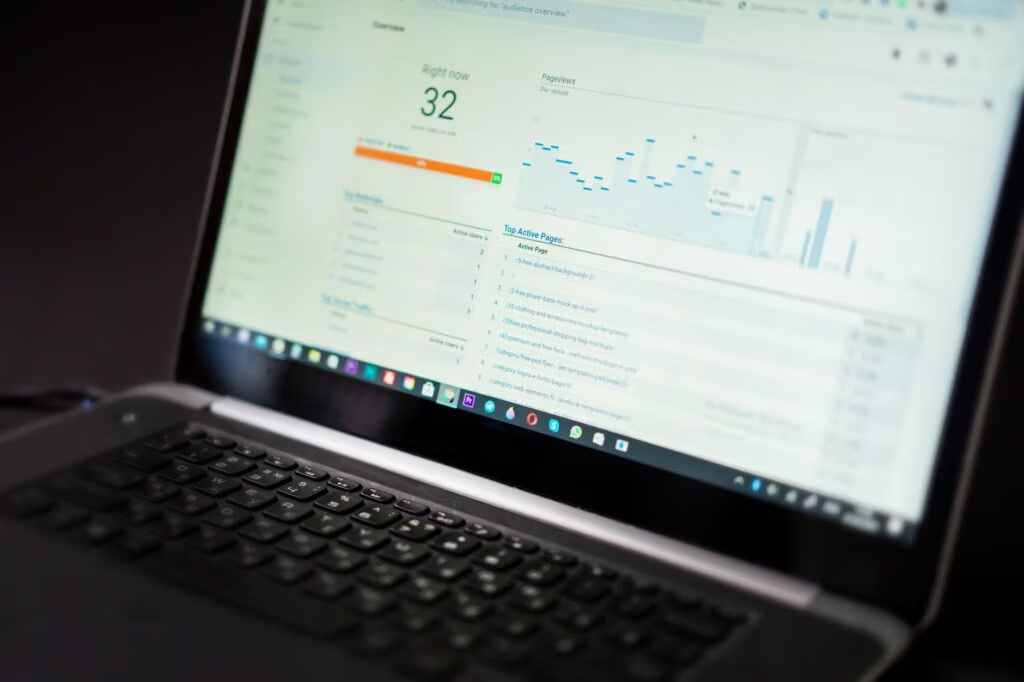
Step 3: Dashboard Creation with Looker Studio or Tableau
Once the data has been collected, visualizing it is essential for making informed decisions. It is recommended to use Looker Studio (free, integrated with Google) or Tableau Public to create interactive dashboards.
Key metrics to display:
- Citation Frequency per AI EngineLine graph showing the number of citations over time for ChatGPT, Perplexity, Claude, and Google AI;
- Citation Context QualityDistribution of citations by context (definition, example, primary source, comparison);
- Topic Citability HeatmapMatrix that crosses editorial topics vs. AI engines, identifying citable gaps;
- Competitor BenchmarkingComparison of citation frequency vs. direct competitors;
- Tráfico de AtribuiçãoEstimate of referral traffic from AI agents (via referrer parsing).
Looker Studio can be powered by a Google Sheets publish which consolidates data from Google Search Console, custom data from Python scripts, and API integrations. For those who prefer a self-hosted approach, Metabase (open-source) is a valid alternative.
Step 4: Implement Optimization Feedback Loops
The true value of the dashboard emerges when data fuels automated editorial decisions. We recommend implementing three categories of feedback loops:
A) Content Gap Analysis Loop
Identify topics that your competitors are cited for, but you are not.
import json
from collections import defaultdict

def identify_citability_gaps(your_citations, competitor_citations, all_topics):
    """
    Identifies topics not covered by your citations
    """
    your_cited_topics = set(your_citations.keys())
    competitor_topics = set(competitor_citations.keys())

    gaps = competitor_topics - your_cited_topics

    recommendations = []
    for gap_topic in gaps:
        competitor_strength = competitor_citations[gap_topic]
        recommendations.append({
            "topic": gap_topic,
            "priority": "HIGH" if competitor_strength > 5 else "MEDIUM",
            "action": f"Create or update content on '{gap_topic}'"
        })

    return sorted(recommendations, key=lambda x: x['priority'])

# Save recommendations
with open('content_gaps.json', 'w', encoding='utf-8') as f:
    json.dump(recommendations, f, ensure_ascii=False, indent=2)
B) Query Intent Optimization Loop
Analyze the queries people use when searching for information about your brand's topics, and optimize your content to be direct answers.
def optimize_for_query_intent(query_logs, content_base):
    """
    Map query intents to your content
    """
    intent_mapping = defaultdict(list)

    for query_log in query_logs:
        query = query_log['query']
        # Extract primary intent (oversimplified for brevity)
        if 'how to' in query.lower():
            intent = 'how-to'
        elif 'best' in query.lower():
            intent = 'comparison'
        elif 'what is' in query.lower():
            intent = 'definition'
        else:
            intent = 'general'

        intent_mapping[intent].append(query)

    # For each intent, suggest the optimal editorial format
    for intent, queries in intent_mapping.items():
        print(f"Intent: {intent} ({len(queries)} query)")
        print(f"  Recommended: Create 'How-To' content if it doesn't exist")

# Execution
query_logs = json.load(open('citability_log.json'))
optimize_for_query_intent(query_logs, None)
C) Real-Time Alert Loop
Notify the editorial team in real-time when the brand is mentioned (or not mentioned) by AI engines.
import smtplib
from email.mime.text import MIMEText
from email.mime.multipart import MIMEMultipart

def send_slack_notification(message, webhook_url):
    """Send a notification to Slack"""
    import requests
    payload = {"text": message}
    requests.post(webhook_url, json=payload)

def send_email_alert(recipient_email, citation_event):
    """Send alert email"""
    sender_email = "alerts@example.com"
    sender_password = os.getenv('EMAIL_PASSWORD')

    message = MIMEMultipart()
    message['From'] = sender_email
    message['To'] = recipient_email
    message['Subject'] = f"🚀 AI Citation: {citation_event['ai_engine']}"

    body = f"""
    Your brand has been cited by {citation_event['ai_engine']}!

    Query: {citation_event['query']}
    Context: {citation_event['response'][:200]}...

    Recommended action: Check the quality of the mention in the dashboard.
    """

    message.attach(MIMEText(body, "plain"))

    with smtplib.SMTP_SSL("smtp.gmail.com", 465) as server:
        server.login(sender_email, sender_password)
        server.sendmail(sender_email, recipient_email, message.as_string())

# Integration with the data collection loop
if result['brand_cited']:
    send_slack_notification(
        f"🎯 {result['ai_engine']}: {result['brand_name']} mentioned for '{result['query']}'",
        os.getenv('SLACK_WEBHOOK')
    )
    send_email_alert('editor@example.com', result)
WordPress Configuration: Plugins and Native Integrations
For those managing content on WordPress 7.0, integrating citability monitoring into the core of the system accelerates adoption. Several options are available:
Option 1: Custom Plugin with AI Client Connector
WordPress 7.0 introduces the WordPress AI Client Connector, allowing direct connections to Claude, GPT, and Gemini to be configured. A custom plugin can leverage this infrastructure to query the models and store the responses in the WordPress database.
query('claude', [
        'messages' => [
            ['role' => 'user', 'content' => 'Quali sono le migliori risorse su WordPress AI automation?']
        ]
    ]);

    // Analizza risposta e registra citazione
    $brand_name = get_option('sitename');
    $cited = strpos(strtolower($response['content']), strtolower($brand_name)) !== false;

    // Salva in custom post type
    wp_insert_post([
        'post_type' => 'ai_citation',
        'post_title' => 'Citation from Claude on ' . date('Y-m-d'),
        'post_content' => $response['content'],
        'meta_input' => [
            'ai_engine' => 'claude',
            'brand_cited' => $cited,
            'timestamp' => current_time('mysql')
        ]
    ]);
});

// Registra custom post type per citazioni
add_action('init', function() {
    register_post_type('ai_citation', [
        'label' => 'AI Citations',
        'public' => false,
        'show_in_rest' => true,
        'supports' => ['title', 'editor', 'custom-fields']
    ]);
});

?>
Option 2: Integration with Looker Studio via Google Sheets
For those who prefer a lighter approach, WordPress can power a Google Sheet (via API), which in turn powers a Looker Studio dashboard. This reduces the load on the WordPress server and keeps analytics separate from the content.
Flow WordPress plugin sends data → Google Sheet (via Sheets API) → Looker Studio (connected to the Sheet)
Critical Metrics to Constantly Monitor
Once the system is active, some metrics deserve particular attention:
Citation Velocity
The speed with which an article is cited after publication is an indicator of intrinsic citability. Articles that receive citations from AI within 48 hours of publication tend to have higher overall citiability. It is recommended to track the time-to-first-citation to evaluate the quality of the markup scheme and the Data structure.
2. Context Richness Score
Not all mentions are created equal. A mention where your brand is cited as a “primary source” is more valuable than one simply linked in a list. We recommend categorizing mentions as:
- Elementary school: Your content is the basis of the response (e.g.: “According to AI Publisher WP...”);
- SecondaryYour content supports a broader topic;
- ImplicitThe concept is derived from your article but not explicitly attributed.
3. AI Engine Diversity
Being cited on a single AI engine (e.g., only ChatGPT) is risky. If OpenAI changes its citation algorithm, your visibility plummets. It is recommended to aim for a balanced distribution between at least 4 engines: ChatGPT, Perplexity, Claude, Google AI.
4. Topic Authority Expansion
Track the number of distinct topics for which you are cited. A brand that is cited for 50 different topics has a’entity authority more robust than one cited for 5.
Best Practices for Increasing Citatability
In addition to monitoring, the dashboard must inform a Editorial strategy focused on citability:
1. Original Data and Primary Research
AI models prefer to cite sources that present original data (surveys, proprietary research, empirical case studies) versus reworks of secondary content. The importance of original data has grown significantly. in March 2026 Core Update.
2. Rich Schema Markup and Fan-Out Query Optimization
Correctly configuring structured markup (JSON-LD for Article, FAQPage, NewsArticle) significantly increases the likelihood of a citation. It is recommended to read Schema Markup for the AI Era per linee guida specifiche.
3. E-E-A-T Signals Chiari
Expertise, Experience, Authoritativeness, Trustworthiness. AI models are increasingly sophisticated in evaluating these signals. Ensure your site clearly communicates who is writing, what their credentials are, and the basis for every claim.
4. Balanced Content Velocity
Publishing 3-5 high-quality articles weekly is preferable to 20 thin articles. AI models evaluate the Consistency and depth, not the volume.
Regulatory Compliance: EU AI Act and Data Licensing
Implementing aggressive citation monitoring raises compliance issues. The’EU AI Act, which reaches mandatory compliance in August 2026 for Italian publishers, imposes specific requirements on how content data is used by AI models.
It is recommended to:
- Verify the robots.txt file to ensure LLM crawl bots are handled correctly;
- Document the policy on data licensing and training set inclusion;
- Implement opt-out mechanisms if desired (although opt-out may reduce citability).
FAQ
What are the monthly costs for implementing an AI Visibility Dashboard?
Costs depend on scale. For small and medium-sized operations: ~100–300 EUR/month if using a mix of free and paid APIs (OpenAI API ~1–5–15 EUR/month for moderate queries, Looker Studio is free, hosting Python scripts on Heroku or AWS Lambda ~1–10–50 EUR/month). For large-scale publishing, costs can rise to 1000+ EUR/month if monitoring hundreds of daily queries across multiple engines.
How long does it take for an article to be cited after publication?
There is no single answer. It depends on: the crawl speed of LLM bots (which you control with robots.txt), the relevance of the topic to frequent queries, and the quality of the schema markup. Empirical benchmarks suggest: 24-72 hours for high-authority sites, and up to 2-4 weeks for newer sites. Articles on trending topics can be cited within hours.
Can I exclude AI bots from crawling my site?
Yes, via robots.txt. However, this significantly reduces your visibility in AI models. Most modern publishers prefer to allow crawls and optimize for citation instead of blocking completely.
Which AI engine is most important to monitor?
Currently (June 2026), Google AI and ChatGPT represent the majority of synthetic discovery traffic. However, Perplexity is growing rapidly among tech-savvy users. It is recommended to prioritize monitoring for Google AI, ChatGPT, and Perplexity, with Claude and others as a secondary focus.
How do I integrate the AI Visibility dashboard with Google Search Console?
The Google Search Console API (v3) allows you to extract queries, impressions, and click-through rates. Create a connection via OAuth 2.0, query the `/searchanalytics/query` endpoint, and consolidate the data with AI citation metrics into a single Looker Studio dashboard. This provides a unified view of organic search + AI visibility.
Conclusion: Citability is the New Ranking Factor
In 2026, monitor the real-time quotability it's no longer an optional exercise for tech publishers; it's a strategic necessity. Just as search engine ranking was the measure of success in 2010-2020, the frequency and quality of citation in AI models is the critical metric for 2026.
The implementation of a AI Visibility Dashboard With automatic collection, processing, visualization, and editorial feedback loops, it provides teams with the information and tools necessary to compete in the synthetic discovery landscape. The data points collected—citation frequency, context quality, topic authority, AI engine diversity—inform strategic decisions on what content to create, what to update, and how to technically structure data to maximize the probability of citation.
Publishers that implement these systems within the next 6-12 months will build a lasting competitive advantage, as citation optimization is still an open field where best practices are not consolidated and the first-mover advantage is real.