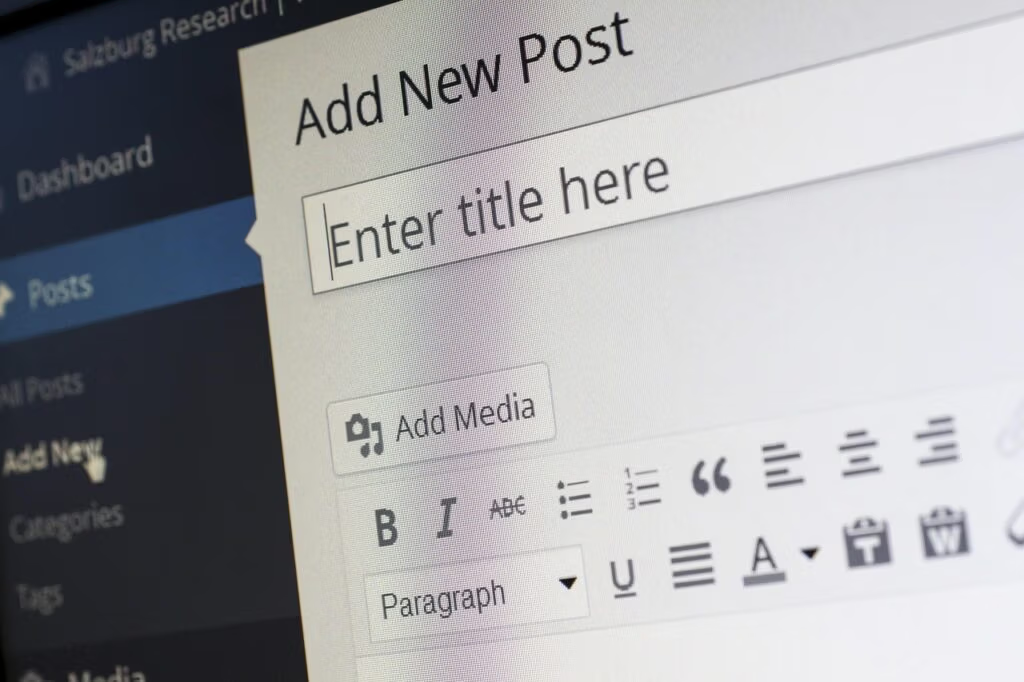
The WordPress ecosystem is undergoing a radical transformation. WordPress 7.0 is scheduled for April 9, 2026, representing the first of three major releases planned for 2026, which will advance the collaboration capabilities of Phase 3. After a 2025 marked by legal disputes and development delays, the WordPress project resumes a structured release cadence, introducing features that redefine the very concept of an enterprise content management system.
Phase 3 is currently underway, focusing on collaborative editing and workflows, bringing real-time collaboration and smoother publishing processes to WordPress. This is a paradigm shift for a CMS that for more than a decade has been primarily an individual publishing tool, now geared toward multi-user work environments typical of distributed newsrooms, agencies and development teams.
Strategic Context: From Crisis to Roadmap 2026
The path to WordPress 7.0 has not been linear. Legal disputes with WP Engine changed everything, with key contributors distracted from development work, and in mid-2025 Executive Director Mary Hubbard announced that there would be no further major releases until 2026. This forced hiatus allowed the team to focus on technical stability rather than rushed releases.
WordPress 6.9 “Gene” was released on December 2, 2025, not as a catch-up release, but as a stabilizing foundation. The version introduced the Notes For asynchronous collaboration and the’API Abilities, laying the foundation for the AI integrations planned for version 7.0.
The WordPress project has indicated its intention to return to a cadence of three major releases in 2026, each synchronized with community flagship events: WordPress 7.0 in April, 7.1 mid-year, and 7.2 toward the end of the year. This approach reflects an organizational maturity geared toward quality rather than quantity of features released.
Gutenberg Phase 3: Collaboration and Workflow-First
The architecture of WordPress 7.0 fits into the Phase 3 of Project Gutenberg, called “Collaboration.”. Much of the work associated with WordPress 7.0 falls under Phase 3 of the Gutenberg roadmap: Collaboration and Workflows. This phase follows the block editor (Phase 1) and Full Site Editing (Phase 2), representing a shift from individual content creation to team-based publishing.
Real-Time Collaboration: Architecture and Technical Constraints
Real-time collaboration in WordPress would allow multiple users to edit the same content simultaneously with changes displayed in real time. Currently, WordPress prevents simultaneous edits by blocking a post while it is being edited. The technical implementation of this functionality represents one of the most ambitious challenges ever faced by the platform.
The best-performing transport layer communications rely on a centralized WebSocket server, but many PHP hosting providers do not support restful communication via WebSocket. This infrastructural limitation led the team to develop hybrid solutions: WordPress VIP recently made its real-time collaboration plugin open source on GitHub, demonstrating that the technology works, but only for users with a WebSocket server.
The strategy adopted is that real-time collaboration will be available as an optional feature, which can be enabled through plugins for advanced hosting, while the WordPress core will maintain universal compatibility through the Notes For asynchronous collaboration.
Notes System: Native Asynchronous Collaboration
The main feature of WordPress 6.9 is Notes, a block-level commenting system that brings asynchronous collaboration directly into the content editor. Teams can now leave comment threads linked to specific blocks, resolve discussions and reopen them as needed.
The technical implementation of Notes eliminates the need for external collaboration tools. Notes are enabled by default for Posts and Pages, and developers can extend this functionality to custom post types through the register_post_type function. For organizations with editorial review processes, compliance requirements or distributed content teams, this functionality represents a significant increase in operational efficiency.
AI Integration: Abilities API and Native Tools
WordPress 7.0 will not be an “AI-native” CMS in the strict sense, but it will introduce standardized infrastructure for intelligent integration. The most forward-looking addition in 6.9 is the Abilities API, a fundamental system that standardizes the way plugins, themes and WordPress cores register and expose their capabilities. This creates a unified, machine-readable registry of capabilities accessible via PHP, REST API endpoints and, crucially, AI integrations.
WordPress AI Assistant: Implementation and Limitations
The WordPress AI Assistant is now available on WordPress.com. The same intelligence stays with you within the editor and Media Library. The assistant was released on February 17, 2026 and represents the most significant AI integration in the WordPress ecosystem.
Key features include:
- Contextual editing support: Help with structural and design decisions at the site level, as well as editing and refining content without leaving the editor. You can adjust layouts, styles and patterns on posts and pages simply by talking
- Image generation and editing: Creating and editing images directly in the Media Library. AI Assistant helps generate new visual elements or make targeted changes to existing images
- Integration with Notes: The block notes feature introduced in WordPress 6.9 allows you to collaborate with teammates directly in the editor. The WordPress AI Assistant extends the same workflow with AI
It is critical to understand the technical limitations: Block-based themes are a strict prerequisite: the AI Assistant works only with block-based themes that support full-site editing. Classic themes and hybrid themes without full-site editing support cannot access AI features. In addition, Business and Commerce plans are the minimum entry point: Free and Personal plans do not include access to the AI Assistant.
Abilities API: Architecture for AI Extensibility.
Version 7.0 is expected to continue development around the Abilities API, which provides a standardized way for plugins and services to expose intelligent functionality. Rather than a completely “AI-native” core, administrators can expect initial and extensible building blocks.
This architecture allows plugin developers to register AI capabilities that are uniformly exposed across the WordPress interface, creating an ecosystem in which third-party tools can integrate without fragmenting the user experience. The approach reflects WordPress' open source philosophy: to provide robust infrastructure rather than closed proprietary solutions.
Modernization of the Administrative Experience
The WordPress admin dashboard is receiving its first major visual update in years, moving closer to the look and feel of a modern web app. In addition to updated typography and a fresh color scheme, the backend will use smooth view transitions that eliminate the “forced reload” feeling when clicking between settings.
The renovation of the administrative interface is not purely cosmetic. Ventura emphasizes modernizing the administrative experience through a unified design system and expanded DataViews. The adoption of unified design tokens ensures visual consistency between screens that were previously fragmented, improving usability for administrators managing complex configurations.
Technical Requirements and Implications for Hosting
In an effort to modernize the platform infrastructure, support for PHP 7.2 and 7.3 will be officially discontinued. This move will increase the new minimum supported version of PHP to 7.4.0, while the recommended minimum version remains 8.3.
System administrators will need to plan carefully for the upgrade. If you are currently using PHP 7.2 or 7.3, your site will remain on the WordPress 6.9 branch after the release of 7.0. You will continue to receive security updates, but no new features until you update PHP.
Considerations for Collaborative Features.
For administrators planning to use real-time collaboration capabilities, infrastructure requirements increase significantly. If you plan to use collaboration features, check whether the hosting supports WebSocket connections and whether the plan has sufficient memory for multi-user editing sessions.
Most shared hosting environments do not natively support WebSocket, limiting access to real-time collaboration. Organizations will need to consider whether to migrate to VPS solutions, managed clouds or specialized enterprise WordPress providers such as WordPress VIP.
Roadmap Beyond WordPress 7.0: Versions 7.1 and 7.2
The project is returning to three major releases per year, each synchronized with WordPress flagship events. Scheduled to launch at WordCamp US, WordPress 7.1 is expected to focus on: media workflow improvements and granular control of user permissions.
Expected for State of the Word, WordPress 7.2 will likely bring: collaboration refinements based on feedback from 7.0 and 7.1, and progress toward multilingual with initial Phase 4 foundations for native language support. Although full multilingual support will not arrive in 2026, fundamental work is expected to begin.
What Changes for Those Running a WordPress Site
The operational implications of WordPress 7.0 vary significantly depending on the user profile:
For Editorial Teams and Content Managers
Transitioning from serial workflows to parallel collaboration eliminates common bottlenecks. This removes one of the most common roadblocks in CMS workflows: waiting for someone else to finish editing. Instead of serial handoffs, teams collaborate in parallel, securely and transparently.
For newsrooms that currently use Google Docs for collaborative drafts before copying content into WordPress, the native integration eliminates this workflow discontinuity, reducing formatting errors and wasted time.
For Developers and Agencies
The Abilities API represents a significant business opportunity. Developers can create plugins that expose standardized AI capabilities, differentiating themselves in the market without having to build proprietary AI infrastructure. Standardization reduces fragmentation of the plugin ecosystem and improves interoperability.
Agencies managing portfolios of client sites will need to plan compatibility audits for custom themes and plugins. Companies and agencies should start auditing themes, plugins, and custom code to ensure compatibility and avoid problems when upgrading.
For Site Owners and SMEs
The democratization of enterprise-grade functionality reduces dependence on expensive third-party tools. Small business owners can access real-time collaboration, AI assistance for content and images, and modernized administrative interfaces without the need for advanced technical skills or significant budgets.
However, awareness of the requirements is necessary: WordPress 7.0 will almost certainly require PHP 8.2 or higher. PHP 8.1 reached end-of-life in December 2025, so upgrading to 8.2+ is recommended regardless of the WordPress version.
Technical Preparation: Pre-Upgrade Checklist
System administrators should implement the following preparation protocol:
- PHP Audit: Check current PHP version and plan to upgrade to 7.4+ (recommended: 8.2+)
- Plugin compatibility testing: Install WordPress 7.0 Beta in staging environment and verify all critical plugins
- Theme evaluation: Confirm whether current theme is block-based or requires migration to take advantage of AI functionality
- Verification of hosting infrastructure: Contact provider to confirm WebSocket support if you plan to use real-time collaboration
- Full backups: Implement incremental database and file backups prior to production upgrade
- Monitoring Make WordPress Core: Follow the Make WordPress Core blog. Official development updates at make.wordpress.org/core are the most reliable source for release dates, beta testing calendars, and feature confirmations
Strategic Perspectives: WordPress in the AI-Native Era
The evolution of WordPress 7.0 reflects a broader strategic awareness of the competitive dynamics of the CMS industry. WordPress 7.0 is shaping up to be one of its biggest changes, moving the platform from a primarily individual publishing tool toward true team-based collaboration with real-time editing, inline feedback, and workflow-oriented UX changes.
The decision to adopt an API-first architecture for AI, rather than integrating proprietary templates, preserves the open source principles of the project while enabling rapid innovation. For organizations considering alternatives such as headless CMS or closed SaaS platforms, WordPress 7.0 represents a significant evolution that maintains flexibility and control without sacrificing modern functionality.
For developers and power users, you should learn more about AI-proof content creation strategies through our guide How to Create AI-Proof Content in 2026: EEAT Strategy and Original Data, which explores how to differentiate publishing production in an ecosystem increasingly influenced by generative artificial intelligence.
FAQ
When will WordPress 7.0 be released and what are the beta dates?
WordPress 7.0 is scheduled for final release on April 9, 2026. Beta 1 was released on February 19, 2026, and Release Candidate 1 is scheduled for March 19, 2026. The WordPress project has resumed a cadence of three major releases per year, with WordPress 7.1 and 7.2 scheduled for mid- and late 2026, respectively.
Will real-time collaboration work on all WordPress hosting?
No. Real-time collaboration requires server-level WebSocket support, a technology not available on most shared hosting environments. The Notes system for asynchronous collaboration will work on any WordPress installation, while real-time co-editing capabilities will be available primarily on VPS hosting, cloud managed or specialized providers such as WordPress VIP. It is recommended that you contact your hosting provider to check WebSocket support before planning to implement advanced collaborative features.
Is the WordPress AI Assistant available to all users?
No. The WordPress AI Assistant, released Feb. 17, 2026, is available exclusively to WordPress.com users with Business or Commerce plans, at no additional cost. It also requires the use of block themes (block themes) that support the full site editor. Sites using classic themes will not have access to the AI assistant in the editor, although image generation remains available in the Media Library. For self-hosted WordPress installations, it will be necessary to use third-party plugins that integrate the Abilities API.
Should I upgrade the PHP version before WordPress 7.0?
Yes. WordPress 7.0 officially discontinues support for PHP 7.2 and 7.3, with a minimum required version of PHP 7.4.0 and a recommended version of PHP 8.3. Sites using outdated PHP versions will remain stuck on the WordPress 6.9 branch, receiving only security updates but no new features. PHP 8.1 has reached the end of its lifecycle in December 2025, so upgrading to PHP 8.2 or higher is strongly recommended to ensure compatibility, optimal performance, and long-term security support.
Is WordPress 7.0 safe to install on release day on production sites?
Not recommended for critical sites. Best practice is to test WordPress 7.0 in a staging environment for at least 2-4 weeks after the official release. During this time, you should test theme and plugin compatibility, test critical site features, monitor bug reports from the community, and wait for any security patches or emergency fixes. For high-traffic enterprise or e-commerce sites, it is recommended to wait for WordPress 7.0.1 or 7.0.2, which typically fixes critical issues identified after the initial release. Administrators should implement full backups and have a documented rollback plan before any major version upgrade.